
Categories that stick
Food, groceries, transport, recharges — classified automatically. Override any merchant and Finzo remembers.
iPhone · India · INR
Finzo turns debit alerts into categorized spending, budgets, and answers. Built for people whose bank already texts them when money leaves — no net banking login required.
Honest caveat: you’ll set up a Shortcuts automation once. Finzo only sees transactions after that — not your full bank history.
Three steps. More manual than apps that plug into your bank — but you stay in control of what gets shared.
When UPI or a debit card charge hits, most Indian banks send an SMS with amount and merchant. Finzo reads only those debit alerts — not your chats or inbox.
You set up a one-time Apple Shortcuts automation. Each matching SMS is sent to Finzo in the background. No bank password, no account linking.
Categories, budgets, merchant streaks, and Finzo AI all run on the transactions Finzo captures from that point on.
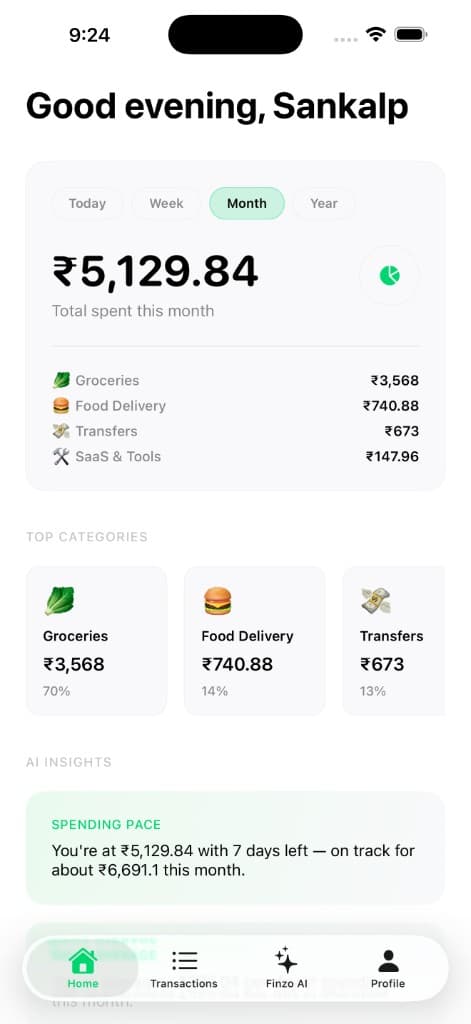
Same screens you’ll see after signup — not a separate dashboard product.
Food, groceries, transport, recharges — classified automatically. Override any merchant and Finzo remembers.
Weekly rings for places you spend at regularly — same idea as the app home screen, not a spreadsheet.
Ask in plain English: “How much on Zepto this week?” Answers come only from your own transactions.
Set limits for the month. Progress rings on Home show where you stand without opening a calculator.